Automate repetitive work
Your team re-types the same data, chases the same approvals and sends the same emails every day.
Likely solution
- Workflow automation
- AI automation
- System integration
Custom software · SaaS · AI automation · Teams in Dhaka and Chattogram · Strategy to support, one team
We learn how your business actually runs, find where time and money leak, then design and build the right system: custom software, a SaaS platform, connected integrations or practical AI automation.
No technical brief needed. Just tell us what isn’t working.
Hiring a designer, developers and a project lead takes months. We join as one team that already works together: strategy, design, build, integration and automation.
See how we workInside the software
Switch the period, hover the chart, turn automation on. This is the kind of system we build: live numbers, routine work handled, people approving what matters.
Overview
Mon: 58, Tue: 64, Wed: 71, Thu: 62, Fri: 84, Sat: 41, Sun: 32
Activity
Pick the one that sounds closest. You don’t need to know what software you need. That’s our job.
Your team re-types the same data, chases the same approvals and sends the same emails every day.
Likely solution
You have a product idea, or an internal tool other companies would pay to use.
Likely solution
Your business runs on spreadsheets, inboxes and tools that were never meant to work together.
Likely solution
Your CRM, accounting, sales and operations tools each hold part of the picture, and people fill the gaps by hand.
Likely solution
Your current software is slow, fragile or hard to change, and the team has learned to work around it.
Likely solution
You know something isn't working, but not which software, if any, would fix it.
Likely solution
Most software projects go wrong before any code is written, because nobody asked how the work really gets done. So that is where we begin.
How work flows, who does it and what it costs today.
Where time, money or information gets lost.
The simplest system that removes the bottleneck.
Working software, connected to the tools you keep.
Automation and AI on the steps that repeat. Not everywhere.
Track what changed, then keep refining.
Most projects combine two or three of these. You don’t have to choose. We recommend the mix that fits.
One system shaped around how your team actually works, instead of your team bending around generic tools.
Turn a product idea into a subscription platform that other businesses can sign up for, pay for and rely on.
Let software read, sort and handle routine work, with people approving the decisions that matter.
Complex, data-heavy platforms that stay fast and easy to use as they grow.
Make the software you already pay for share data automatically, so nobody copies it by hand.
Decide what to build and how it should work before a line of code is written.
Let your system read incoming requests, understand what the customer needs and trigger the next business process. Your people stay in control of the decisions that matter.
Northwind Supplies
Email to orders@
“Hi, can we move order #4821 to Thursday and add 20 more units?”
Handled end to end
An email lands in the shared orders inbox.
It finds two actions: change the delivery date, and increase the quantity by 20.
Matches the customer, their open order and their account terms.
Drafts the new date and quantity, and confirms the stock is available.
The quantity change is above the auto-approve limit, so a manager confirms it in one click.
The warehouse gets a task to prepare 20 extra units for Thursday.
The customer gets a confirmation. The account manager sees the change.
The same request, handled by hand
One connected workflow
Every project starts with a business problem. Here is what that looks like in practice: what was wrong, what we built and what changed.
Sample project. Replace with a real case study before launch.
Distribution business
Operations were managed through spreadsheets and disconnected software. Nobody had one up-to-date view of orders, stock or workload.
What we built: One centralised operational platform for orders, scheduling, stock and reporting, used by every team.
Laravel · Vue · PostgreSQL · Redis · AWS
Sample project. Replace with a real case study before launch.
Service company turned software vendor
A scheduling tool built for internal use was so useful that partners asked to buy it, but it could only serve one company.
What we built: A multi-tenant SaaS product with self-serve sign-up, subscriptions, team accounts and an admin console.
Next.js · Node.js · PostgreSQL · Stripe · Cloudflare
Sample project. Replace with a real case study before launch.
B2B supplier
Customer requests arrived by email and were keyed into three systems by hand, so replies were slow and details got lost.
What we built: An AI-assisted intake workflow that reads each request, updates the CRM and order system, and routes anything unusual to a person.
Python · Claude API · CRM API · PostgreSQL · Docker
Your software partner
 Demo image
 We recommend the right system, not the most software. Sometimes that means building less.
 Demo image
 Strategy, UX, development, integration and automation, handled by one team that sees the whole picture.
 Demo image
 Software should make daily work easier for the people using it, not just look good in a demo.
 Demo image
 Systems designed to take on more users, data and features without being rebuilt.
 Demo image
 We can keep improving the product after launch, as your business and your users change.
You always know what stage we are in, what happens next and what you will get at the end of it.
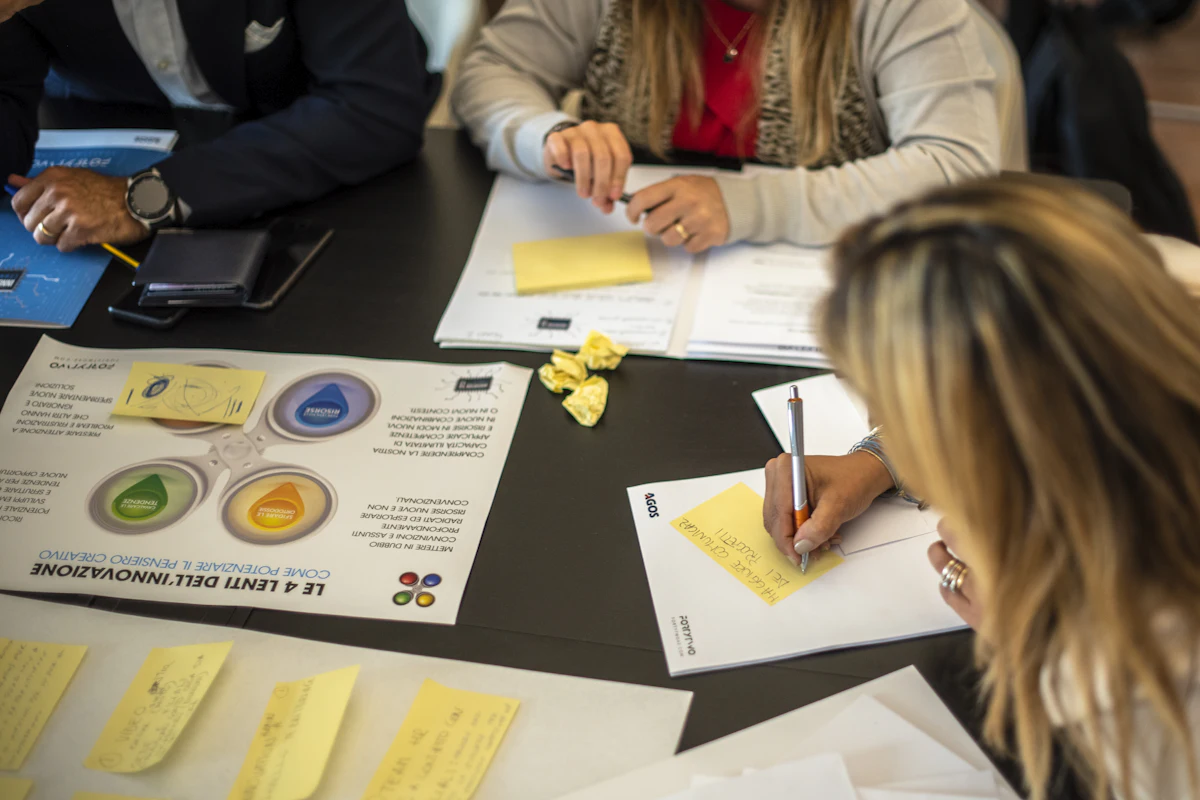
Step 1 of 7
Understand the business, the users, the workflow, the problems and the opportunities.
 Demo image
 Step 2 of 7
Plan the right software solution and its architecture, with a written scope.
 Demo image
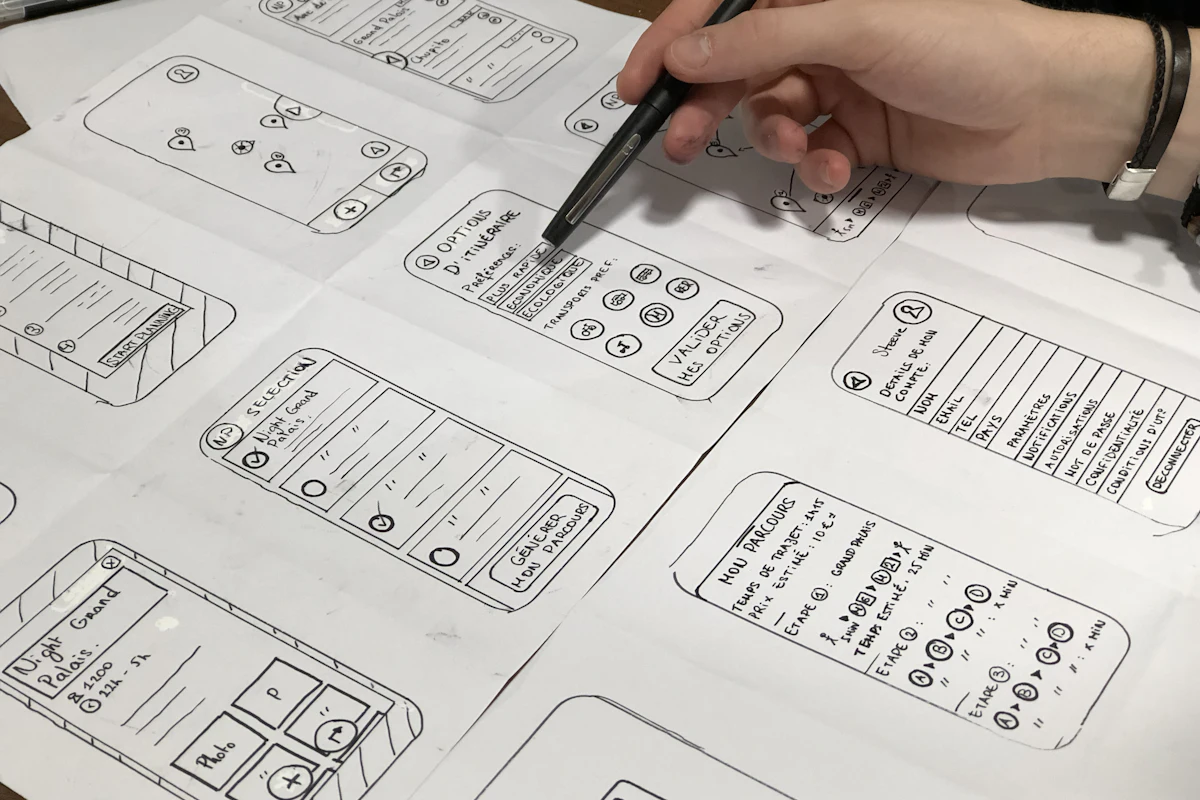
 Step 3 of 7
User flows, clickable prototypes and interface design you can test before we build.
 Demo image
 Step 4 of 7
Develop in short iterations, so you see working software early and often.
 Demo image
 Step 5 of 7
Connect your existing systems and data, so nothing lives in two places.
 Demo image
 Step 6 of 7
Testing, deployment and a careful production release.
 Demo image
 Step 7 of 7
Monitor, automate further and keep improving as the business changes.
 Demo image
 Inside the studio
Workshops, whiteboards and a lot of listening, long before the first line of code.
 Demo image
  Demo image
  Demo image
  Demo image
  Demo image
  Demo image
 We choose technology to fit the problem, not the other way round. These are the tools we reach for most.
Guides
How to decide, scope, price and run software projects, without the jargon.
Custom software
When ready-made software is the right call, when custom software pays for itself, and the middle path most growing businesses should start with.
2 min read
ReadCustom software
The factors that set the cost of custom software, why fixed quotes on vague briefs go wrong, and how a phased build keeps the budget under control.
2 min read
ReadSaaS
The stages of building a B2B SaaS product: validating the problem, scoping the first version, multi-tenancy, billing and what to measure after launch.
2 min read
ReadIf yours isn’t here, ask it in the form below. There are no silly questions about software.
No. Tell us how your business works and what isn't working. Recommending the right approach is our job, and sometimes the answer is less software than you expected.
Usually, yes. Most projects connect to tools you already rely on, such as your CRM, accounting, e-commerce or email platform. We only suggest replacing something when keeping it costs more than changing it.
We scope the work after a short discovery and give you a written estimate before any build starts. Larger projects are split into phases, so you can decide one step at a time.
It depends on the scope. A focused automation can go live in weeks. A full business platform is usually delivered in phases, with working software in your hands early rather than at the very end.
You do. The software we build for you, its source code and your business data belong to your company.
We can stay on to monitor, support and keep improving the system as your business changes, or hand it over to your own team with documentation.
Tell us how your business works and where the friction is. We’ll help you work out the right solution, even if that turns out to be something small.
We read every message ourselves and reply within one business day.
A short call to understand your business and the problem.
A written recommendation: what to build, what not to, and roughly what it involves.
Your details stay private. No newsletters, no sales sequences.